

Harden a Linux server by defining its job
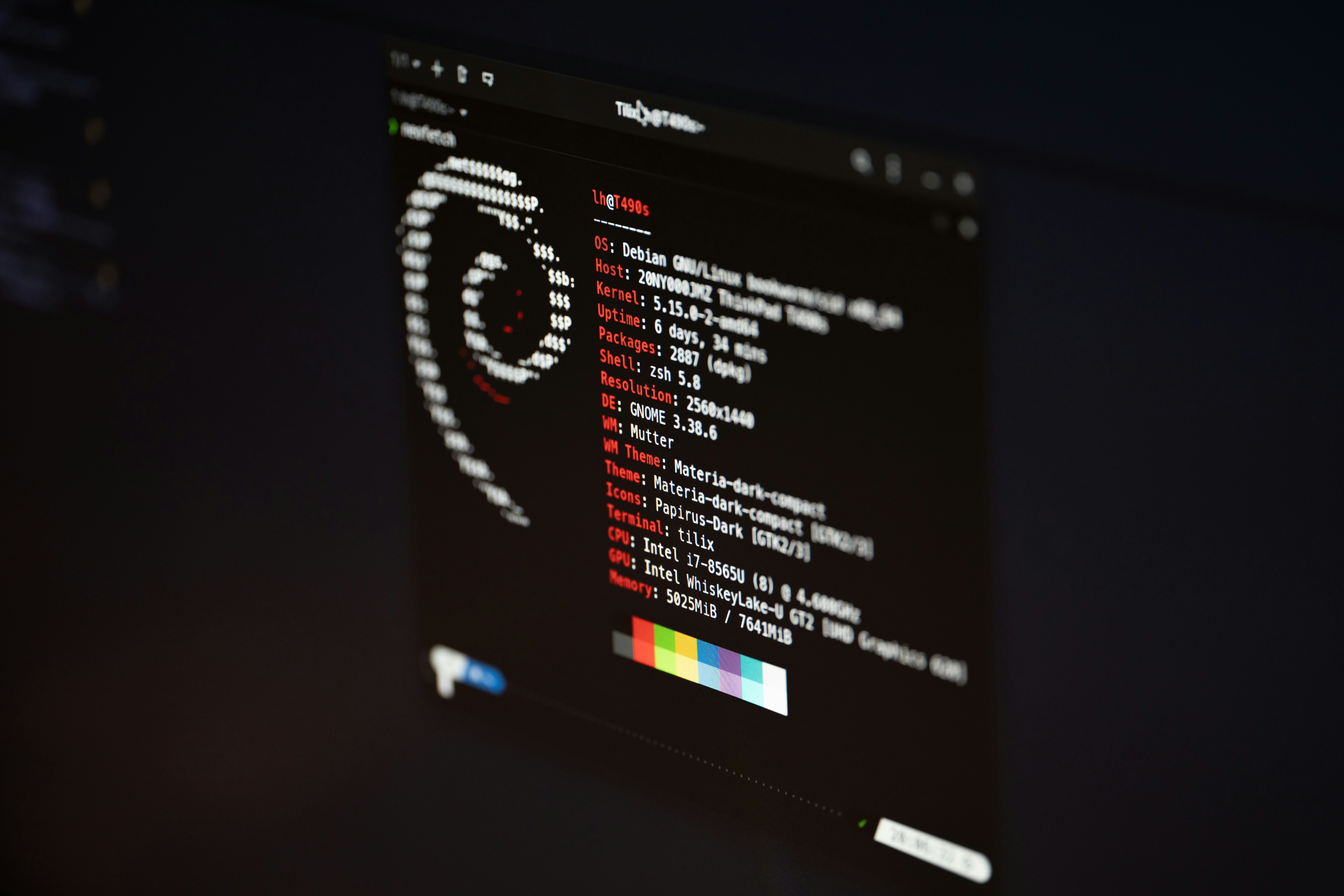
Cover photo by Lukas on Unsplash.
A Linux server is easier to secure when everybody can explain why it exists. Say this one receives files from an internal app, generates invoices, and sends the output to storage. That job implies a service, a few connections, a place to write, and a way to maintain it. The collection of packages and accounts that came with the image is a separate matter.
Start with the job. Then make the deployed machine match it. A server baseline should describe the access, software, network paths, and recovery steps the service needs. A good baseline gives you a way to tell when the server changes and a way to rebuild it after a bad day.
Picture a host that has been running for several years. It has a monitoring agent installed by one team, an account left by a consultant, and a second way to accept files from a project that ended. Each addition probably made sense once. A baseline gives you a safe process for deciding which of those things still belongs there.
Know what you are responsible for
Name the service owner and the people who can make changes. Record the environment, operating system family, deployment method, and data handled by the host. Keep the record somewhere outside the host so you can use it when the host is down. A machine name alone conveys little about what would break if somebody rebooted it.
For the invoice worker, the data description might say that queued input includes customer addresses and output contains billing details. That tells you which backups and logs need restrictions. It also helps decide whether a test server may use production data. A sanitized fixture can often demonstrate the same workflow without creating another copy of the customer file.
Map the dependencies in both directions. Which systems send work to the server? Which services does it call to finish? Who signs in to administer it? Which jobs run on a schedule? Ask the people who get paged when it stops. Their answers often include one old report or handoff that never made it into the architecture diagram.
Keep the first map narrow. The goal is to list the connections and permissions you can verify, then assign an owner to open questions. Put the most important facts on one page. A detailed inventory can sit behind it.
Find unnecessary exposure before removing it
Compare the services you expect with what the machine runs. Inspect listening sockets, enabled services, scheduled jobs, and administrative accounts. Check the firewall and the network controls outside the machine. A service bound on the host, a port published by a container, and an inbound rule in a cloud network can combine in ways that are hard to see from any one screen.
Record what each necessary listener does and who should be able to reach it. A worker that only makes outbound requests may need no application port open to the network. A service that accepts work from an internal app may only need access from that app’s network or identity. If a port exists for temporary troubleshooting, specify who can use it and when it will close.
Start with observed behavior and documented requirements. Removing a package nobody claims to own can still break a monthly process. Use service logs, deployment files, and a conversation with the team to resolve that uncertainty. Test the proposed change in a comparable environment. Make a small change, then confirm the service still accepts and completes real work.
Once you have a list of approved connections, test it from the places people and systems use. An internal service should be reachable from its intended client. A path that should be closed should stay closed from the network where it matters. A check run from the server itself answers a different question from a check run over the production network. NIST guide to general server security
Give people and processes separate identities
A deployed service needs an identity for its job. The person maintaining the machine needs a different identity for maintenance. Separate accounts let the operating system and auditing tools distinguish a routine job from an administrative change.
List who can administer the host. Use named access and remove ties to departed people. If your environment uses short-lived credentials or an identity provider, check how the host receives the current policy. If it uses local accounts, document how access is granted and revoked. Confirm you can still get in through an approved recovery channel before changing the ordinary one.
Think through the temporary cases. A vendor needs access to inspect a service for an afternoon. Someone new joins the on-call rotation. A person leaves the company while their laptop is offline. Each case should have a path that leaves a record and follows a sensible expiry. A shared credential makes those cases harder to resolve because the team cannot tell whose copy still works.
Processes can be narrow, too. The invoice worker needs to read the jobs it receives and write invoices to a designated location. It does not need to modify system packages or read unrelated services’ secrets. Grant the account access to the files it uses. Test startup, normal work, and error handling with that account so permission problems appear before an incident.
Put secrets where you can rotate them
A configuration file can describe which storage service to use without containing the credential for that service. Give a running process a supported way to receive its secret at deployment or startup. Keep the source and retention of that secret clear to the people who operate it.
Trace how a credential travels. It might start in a protected store, enter a deployment tool, and reach the service manager. At each point, check who can read it and whether it appears in a command line, log, crash report, or backup. Permissions on one file only cover that one file.
Plan to rotate credentials while the service is in use. Find out whether the worker can reload them or requires a restart. Decide when to remove the old credential and how to confirm the new one works. If several hosts share a credential, name the hosts and arrange the change so you can see which have switched.
Test a renewal before it becomes urgent. Use a nonproduction credential where possible. Confirm the service can connect with the new one, fails safely when none is available, and gives operators a clear error. Avoid putting the secret itself in the error message.
Give the recovery process its own credentials. A backup reader may need access to storage and decryption while the original host no longer exists. Record where that authority comes from. If the only valid copy of a recovery secret lives on the machine you’re restoring, the backup has a dependency you may discover too late.
Treat system updates as changes to the service
A supported operating system gives you a route to fixes. It also requires someone to own package updates, restart decisions, and compatibility. Record the update policy next to the service owner. The best schedule is one the team can follow and verify.
Use a test machine or small group before rolling a change everywhere when the service and time allow. Check the tasks that matter. For the invoice worker, start it on a fresh host, process representative jobs, and confirm where it writes the results. If a package update requires a restart, make sure the service returns and consumes work under its usual account.
Include packages installed outside the operating system’s package manager. A language runtime, a binary copied into an application directory, or an agent installed by a separate team may follow a different update path. Find which team owns each source and how it knows when a newer supported release is available.
When migrating an older host, identify the behavior to preserve instead of copying every setting forward. You might need a particular filesystem mount, background timer, or permission on a spool directory. Bring those requirements into the new baseline. Tests for the job help distinguish a requirement from an old workaround.
Keep a record of what the deployment changed. The person who investigates a service failure should be able to tell when the host last rebooted, when its baseline changed, and what software revision it runs. That information helps when the cause is ambiguous and a quick rollback might help.
Give logs a specific purpose
Decide what you need to see on an ordinary day. Are invoices arriving? Are jobs finishing? Is storage rejecting any uploads? A service log that answers those questions does more for the on-call person than pages of startup details.
Record administrative events separately enough that you can ask who changed a file, deployed a service, or gained access. The system logs may provide some of that information. The deployment tool or identity provider may hold the rest. Document where each record lives and how to compare its timestamps with the service log.
Move the important records off the machine according to your reliability and privacy needs. If the host disk fills, fails, or becomes unavailable, an external copy can preserve part of the timeline. Decide how long to keep the records and which roles can read them. Leave customer contents, secrets, and full file bodies out of routine logs.
Build a simple alert for a failure that matters to the service. An aging job may tell you more than a running process count. A worker can be alive and have insufficient access to upload invoices. An alert that names the blocked operation and points to safe diagnostics gives someone a way to respond.
Check what happens when the log pipeline is down. Decide whether the service continues, queues records, or limits its work. Choose the behavior based on the importance of the logs and the work. If you discover the tradeoff during an outage, you may have to choose it while two systems are already failing.
Plan to restore the work
Backups should cover the states you need after a loss. For some services, that means configuration and a database. Others need pending work, local files, encryption keys, or permission information. List which state can be recreated and which needs a protected copy.
A successful backup job proves that something wrote data. A restore test answers a more useful question. Start with an empty test environment, restore the protected material, bring the service up under the expected identity, and run a representative job. Check whether it can read input and write output using the right destinations.
Consider what happens if an old job runs again after a restore. If invoicing uses a stable job identifier, the restored worker may be able to detect completed work. If that relationship lives outside the backup, you may have to reconcile the queue with storage or billing records. Decide how to avoid creating duplicates before people depend on the restore process.
Put the recovery instructions where the on-call team can reach them. Include who can approve a restore, where to find the correct revision, and which tests tell you the restored service is healthy. A document that only exists on the unavailable host adds one more problem during recovery.
Make exceptions expire
A baseline only stays useful if you can tell what differs from it. Sometimes the difference has a good reason. A hardware adapter requires a special package. A legacy partner can only connect through a route the new service doesn’t need. A temporary administrator account helps with a migration.
Record the exception, owner, reason, and review date. Name the specific host or role affected. If possible, make the exception visible in the configuration that deploys the host. A future operator can then distinguish an approved change from drift without guessing.
Decide how you’ll find changes that happened outside the usual path. Compare a few properties with the expected baseline on a schedule. Include exposed ports, privileged memberships, package sources, and important settings. Keep the output focused on meaningful differences. A wall of alerts about timestamps and temporary files won’t help the team see a service that suddenly listens on another interface.
When an emergency requires changing the host by hand, write down what changed and why. Turn it into a reviewed configuration change if it should persist. Then test a new deployment. The workflow is complete when a rebuilt server has the same intended behavior, including whatever the incident taught you.
Fit the work into one maintenance window
A single pass can establish the core of the baseline. Pick the invoice worker. Identify its approved service identity, host access, incoming work, outgoing connection, and writable location. Confirm the owner and deployment repository. Compare those facts with what you find on the machine.
Then fix one discrepancy and verify the full job. For example, remove access from an unused account after confirming there’s an alternate administrative path. Check that the intended operator can still work and the retired account can no longer sign in. Make the change reproducible, then update the service notes.
Use the next window for the next difference, or test a restore if the important open question is recovery. The list will change as the service changes. Keep the baseline focused on what the machine needs to do. A new listener or privilege should have a reason someone on the team can explain.
Build the replacement before retiring the original
A server rebuild is a good way to find out whether the baseline describes the real system. Use the documented image and configuration to create a replacement in a test environment. Keep the original available while you compare them. You want to know which differences matter before introducing the new host to production work.
Run a representative job on the replacement with protected test data. Follow the input from the queue to the output store. Confirm the service identity, the destination, and the records the job leaves. If the job needs certificates or a mount somebody once added by hand, update the deployment so the next machine receives the same approved dependency.
Check the tasks the server does less often. It might produce a monthly report or pick up delayed jobs after an interruption. Use a fixture for one of those paths. Ask the service owner what distinguishes a successful run. The existence of one output file says little if it was written to the wrong account or has the wrong permissions.
Before a cutover, decide how work transitions between hosts. If both can process the same queue, check that the service is safe to run in parallel. If it isn’t, plan when the old host stops accepting work and how you verify that it has drained. Give yourself a consistent way to return to the old host if the new deployment has a problem. The rollback should account for work the replacement already finished.
Verify that the baseline protects the right things
A baseline document can be correct on the day you write it and still be useless during maintenance. Turn a few of its facts into repeatable checks. A process should run under a named service identity. Its configuration should have the expected owner and access. The job should connect only to the services it needs. Recovery should work with credentials that exist outside the host.
Write the expected result for each check before you run it. For a host that receives work over an internal network, the correct result might be that an approved producer can connect while an unrelated network cannot. That expectation is more helpful than a screenshot of a firewall rule because it captures the behavior the rule is meant to produce.
Keep the results with the change record. If an update unexpectedly exposes a listener, show the deployment time and the network where you saw it. If a process starts with broader file access, record the account and the directory it should use. Details like these make a failure report fit the person who can repair it.
Use checks the service owner can run without administrator access where possible. A read-only report or synthetic job can tell an operator whether to escalate. Reserve privileged diagnostics for cases where the evidence requires them. A tool that checks permissions shouldn’t introduce a new account with permission to change everything.
Retire the old machine as part of the change
An unused server can outlive the workload it once supported. Add retirement to the work order. Confirm the replacement handles traffic, then identify old credentials, monitoring rules, records, backups, and names that still point at the host. Keep the records you need for recovery and audit under the retention rules you already follow.
Remove network access according to the approved change. Revoke the identities and credentials unique to the retired machine. Return addresses or names to the people who manage them. If another service still hits the old address, find out why before claiming the work is finished. Connections from a legacy job can reveal an undocumented dependency.
Leave a short account of the change for the next operator. Say what was replaced, which data was preserved, and who can approve a restore if one is needed. That note closes the gap between “the new machine works” and “the old machine no longer has a job.”
Set a review date for the new baseline after the first maintenance cycle. Ask the on-call team which checks they used and which facts were missing. If they had to discover a dependency under pressure, add it to the service record and decide how to verify it next time. Keep a link to the change that puts the fix into deployment. This gives the service owner a short record of what improved and a test that will catch the same problem when the server is rebuilt.
Action checklist
- Record the server’s owner, job, dependencies, and recovery path.
- Compare running services and listeners with the approved baseline.
- Remove unused access after confirming an approved recovery path.
- Run each service under its own account with limited permissions.
- Test updates with a representative job before deploying them broadly.
- Restore a backup onto a clean host and verify that the job completes.
About the author
- Practical cybersecurity and operational technology guides by Jeremiah Tillman, with real incident analysis, defensive checklists, and Linux hardening advice.
Comments
Join the discussionNo comments yet. Be the first to comment.